

In the dynamic world of real estate, the first impression can make all the difference. As potential buyers increasingly turn to online platforms to explore and evaluate properties, the significance of visually appealing representations cannot be overstated. Enter CapCut, an AI-powered online photo editor that empowers real estate owners to showcase their properties with stunning visuals. In this article, we will delve into the importance of presenting real estate properties effectively and provide a detailed step-by-step guide on how CapCut can be utilized to create professional visuals that captivate and engage potential buyers.
The Importance of Showcasing Real Estate Properties
In the highly competitive real estate market, the presentation is paramount. Potential buyers form their initial impressions based on the visuals they encounter online. High-quality, professional images not only attract attention but also convey a sense of value and credibility. Here are some key reasons why showcasing real estate properties with professional visuals is crucial:
-
First Impressions Matter
The first interaction a potential buyer has with a property is often through online listings or advertisements. Professional visuals create a positive and lasting first impression, drawing the viewer in and increasing the likelihood of further exploration.
-
Highlighting Unique Selling Points
Every property has its unique features and selling points. Professional visuals allow real estate owners to highlight these aspects effectively, whether it’s a spacious living room, a breathtaking view, or state-of-the-art amenities. This helps properties stand out in a crowded market.
-
Building Trust and Credibility
High-quality visuals not only showcase the property but also reflect the professionalism of the real estate owner or agent. This builds trust with potential buyers, assuring them that the property is worth serious consideration.
-
Engagement and Shareability
Compelling visuals are more likely to be shared on social media platforms, increasing the property’s visibility. Social media plays a significant role in the real estate market, and eye-catching visuals can contribute to viral marketing, reaching a wider audience.
Step-by-Step Guide to Showcasing Properties with CapCut
Now, let’s explore how real estate owners can leverage CapCut’s online photo editor to create professional visuals for their properties.
-
Step 1: Upload
The journey begins with uploading your property images to the CapCut website. Follow these simple steps to edit your graphics online. Start by visiting the CapCut website and creating an account. The registration process is straightforward and requires no credit card information. Once your account is created, log in with your credentials and navigate to the online photo editor section. Here, you’ll find a user-friendly interface that allows you to begin your creative process. Decide whether you want to start with a blank canvas for full creative control or choose a template that aligns with your property type. CapCut offers a range of ready-to-use templates catering to various needs. Whether your images are on your device, in the cloud, Google Drive, or Dropbox, CapCut supports seamless uploading. Select the images you wish to work with and effortlessly bring them into the online photo editor. CapCut’s intuitive sticker maker online tool along with the online photo editor enhances the appeal of real estate visuals, allowing property owners to add unique and engaging elements effortlessly.
-
Step 2: Edit and Customize
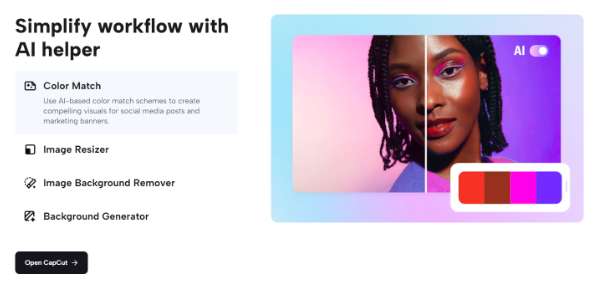
CapCut’s AI-powered features simplify the editing and customization process. Here’s how you can enhance your property visuals. CapCut’s AI helper comes into play by assisting with color matching and picking schemes that create visually compelling images. This ensures a harmonious color palette throughout your property visuals. Removing unwanted elements from your property images is a breeze with CapCut’s ‘Auto Cutout’ feature. In just one click, you can eliminate distractions and replace them with more desirable aspects, enhancing the overall appeal of the property.
CapCut provides a wide array of exclusive photo filters, effects, and stickers to transform the look and feel of your images instantly. Additionally, text animation, stylish fonts, overlays, and formatting options allow you to add a professional touch to your property visuals.
-
Step 3: Export
Once you’re satisfied with the edits, it’s time to export your final work. CapCut offers flexibility in choosing where and how you want to share your professional property visuals. With a simple click on the ‘Download’ button, you can obtain the final, polished visuals. CapCut supports various formats, ensuring compatibility with different devices and platforms. Whether you prefer to store your visuals in the cloud for easy access or share them directly with potential buyers or on social media, CapCut provides convenient options for both.
Conclusion
In the competitive realm of real estate, where visuals play a pivotal role in attracting and retaining the attention of potential buyers, leveraging tools like CapCut can make a significant difference. By following the simple three-step guide—uploading, editing customizing, and exporting—real estate owners can create professional visuals that effectively showcase their properties. The importance of presenting real estate properties with captivating visuals cannot be overstated, as it not only influences first impressions but also builds trust, highlights unique selling points, and increases engagement in the digital landscape. With CapCut, real estate owners can elevate their property marketing efforts and leave a lasting impression on prospective buyers.
Related
Source: Vietnam Insider